Delete Unused AssetsDatoCMS Official Plugin
Find the assets no record uses, review them, and delete the ones you don't need.
Delete Unused Assets
Finds every asset in your media library that no record uses, lets you review the list, and deletes the ones you select.
Usage
Install the plugin and allow it to use the current user's API token. Then open Configuration → Plugins → Delete Unused Assets and click Scan for unused assets.
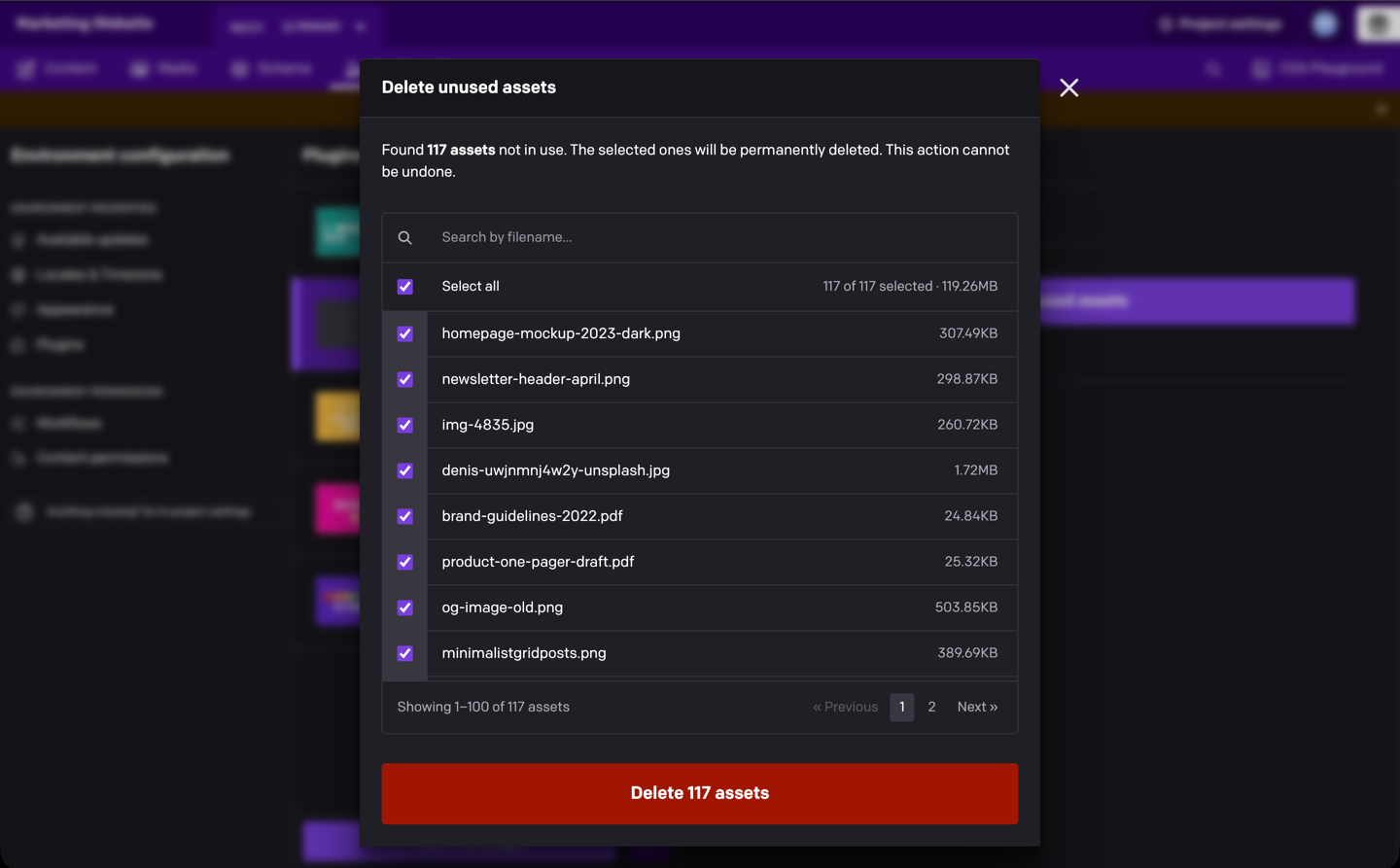
You'll get a list of unused assets with their sizes, all selected. Untick anything you want to keep (you can search by filename), then click Delete. When it finishes, you'll see how many assets were deleted and how much storage was freed.
Right before deleting, the plugin checks each asset again, so anything a record started using after the scan is kept.
Before you delete
Deletion is permanent. "Unused" means no record in the current environment references the asset, so files you only link to from outside DatoCMS (a hard-coded URL on your website, for example) or from an old record version will show up in the list. Untick them.
Keep the dialog open until the deletion finishes. Closing it, or clicking Stop, ends the run after the current batch of 100.
Development
npm cinpm run devnpm run checkSee docs/technical-notes.md for how the scan and deletion work.