Find and Replace DatoCMS Official Plugin
Find, preview, and safely replace content across DatoCMS records and models.
Find and Replace
Find a word or a pattern in every text field of every record, and replace it everywhere at once. You see each change before it happens, leave out anything you want to keep, and publish the result when you're ready.
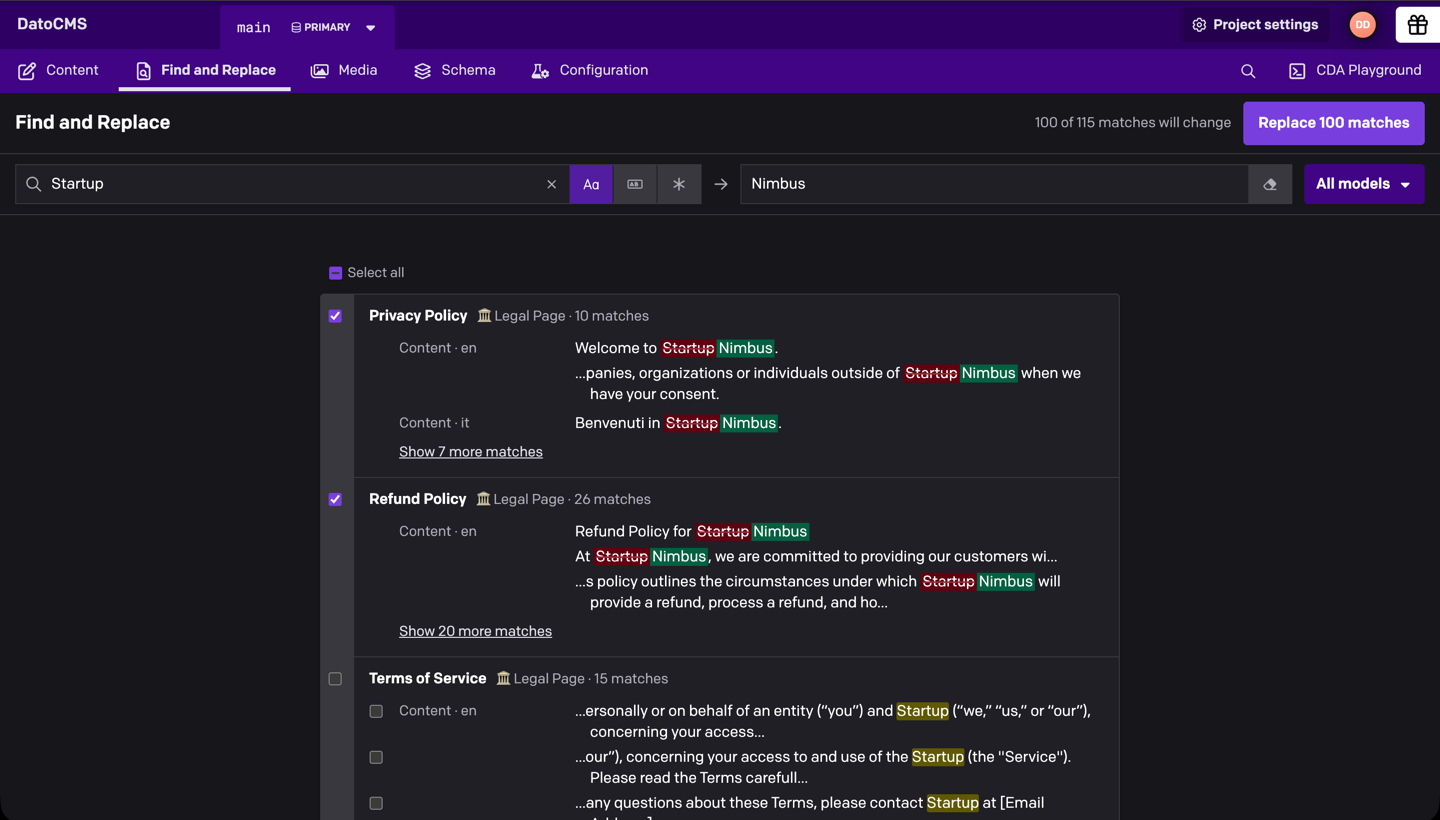
- Every text field, every locale: titles, text, slugs, Structured Text, SEO titles and descriptions, including text inside blocks at any depth
- Preview before you write: every match shows its before and after, in context
- Leave anything out: skip whole records or single matches
- Match case, whole words or regular expressions, with
$1groups in the replacement - Safe writes: records edited after your search are skipped, never overwritten
- Publish when you're ready: in models with draft/published, nothing goes live until you publish it
Installation
Install Find and Replace from Configuration → Plugins and, when asked, let it use the current user's API token. The plugin needs it to read and update your records. A Find and Replace tab then appears in the top navigation.
By default, anyone whose role can read and update a model can use it on that model's records. In the plugin's settings, you can limit the page to some roles, or limit which models can be changed.
Find text
Type in Find. Matches from every model you can edit appear as the search runs, grouped by record, with the field, the locale and a line of context around each one.
Three toggles next to the field refine the search: Match case, Match whole word and Use regular expression. When results come from several models, All models narrows the list to one of them.
The first search reads your records, and searches in the next ten minutes reuse them, so trying a different spelling or toggle is instant. In projects with more than 10,000 records, each search reads the records again, so it only starts when you press Enter.
Replace it
- Type the new text in Replace with. Every match turns into a preview of the change, and each record gets a checkbox.
- Uncheck the records or the single matches you want to keep. The button always says how many matches will change.
- Click Replace N matches and confirm.
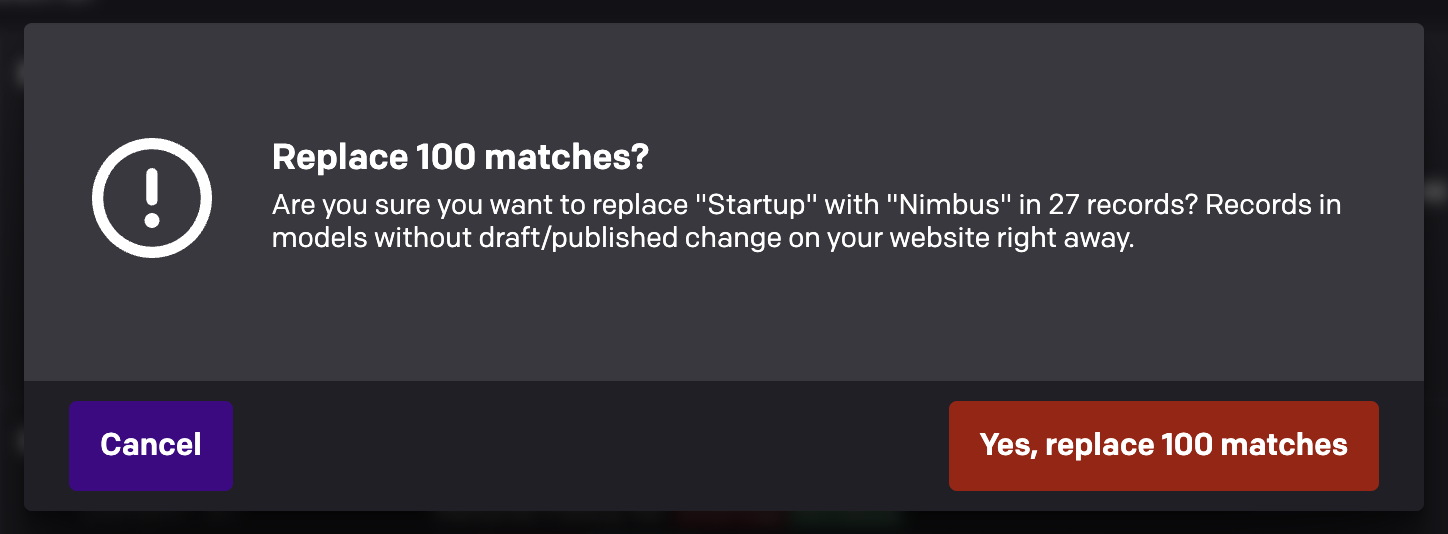
Records are updated one at a time, and each one shows Replaced, Skipped or Failed as soon as it's done. Stop finishes the record in progress and leaves the rest untouched. Keep the page open until it finishes.
To delete the matched text instead, turn on Replace with nothing next to the replacement field. An empty replacement field never deletes anything.
Publish the changes
Replacing never publishes. In models with draft/published, the new text is saved as a draft, and the toolbar then offers Publish N records.
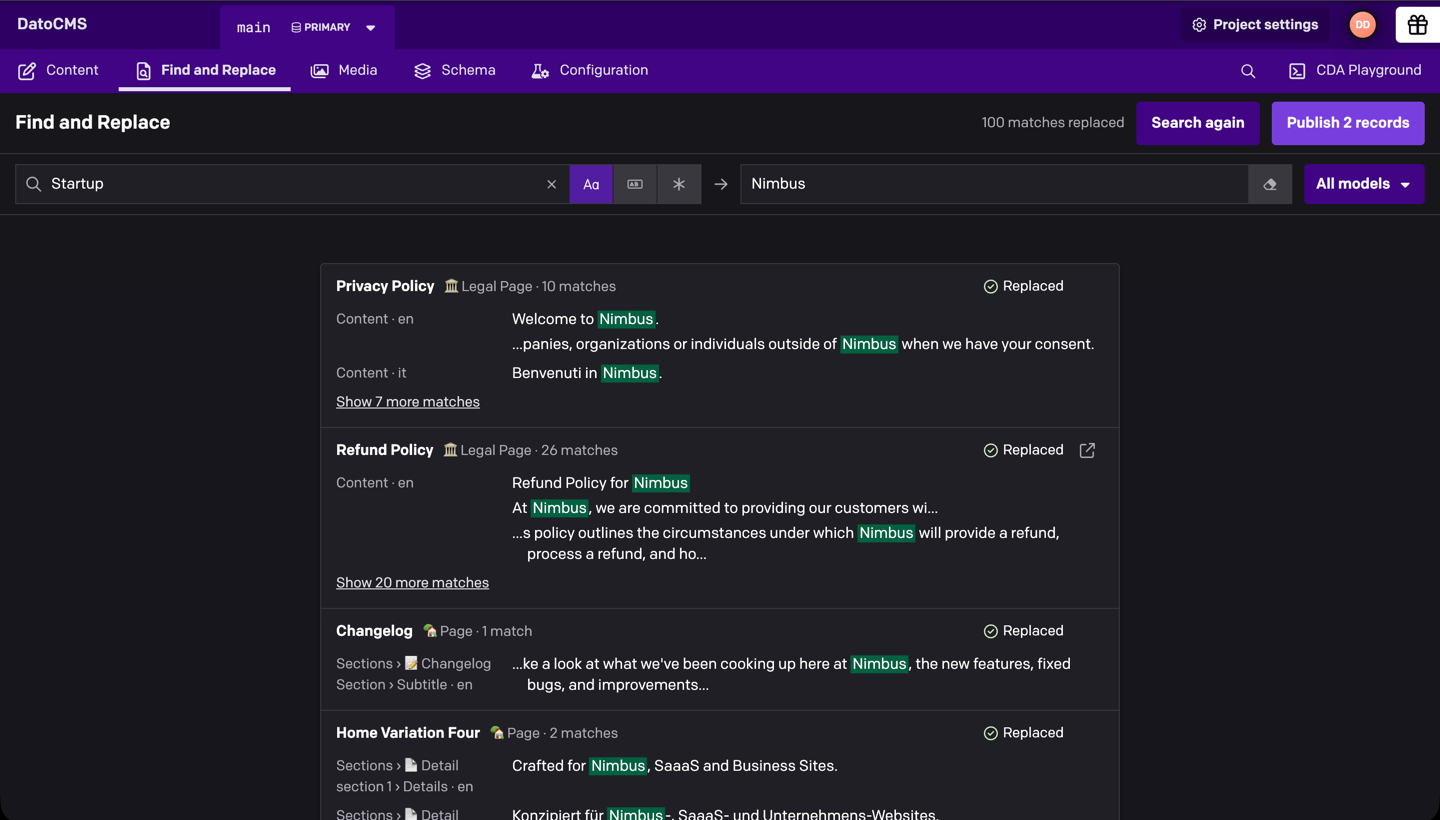
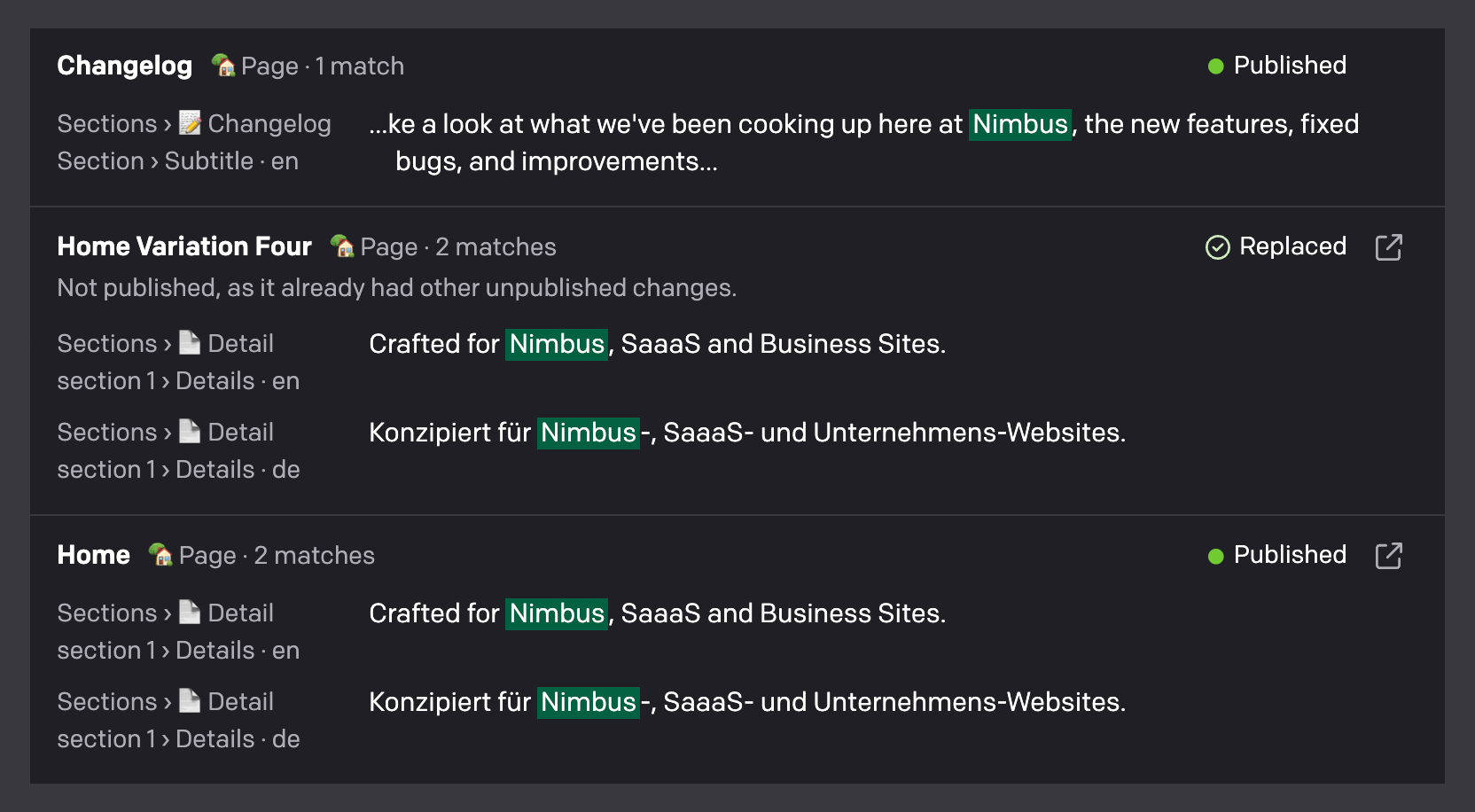
Only records whose one unpublished change is your replacement are offered, so publishing never puts anything else live. A record that already had other unpublished changes, or was never published, stays a draft and says why. Open it with the ↗ button to review and publish it yourself.
In models without draft/published, records change on your website as soon as they're replaced. The confirmation says so before you start.
Understanding the results
| Status | What it means |
|---|---|
| Replaced | The new text is saved. |
| Skipped | The record changed after your search, or was deleted. Nothing was written. Search again picks up the current text. |
| Failed | The record couldn't be saved, usually because the new text breaks a field validation (the reason is written under the record). Network errors offer Try again. |
| Published | The record was published with your replacement. |
| Not published | It already had other unpublished changes, it was never published, or it was edited after the replacement. If publishing itself fails, the reason is written under the record. |
Good to know
- Slugs start unchecked. Changing a slug changes the record's URL, so slug matches are marked Changes the URL and are only replaced if you check them.
- Whole words avoid surprises. Without Match whole word, "Startup" also matches inside "Startups".
- Regular expressions use JavaScript syntax. In the replacement,
$1,$<name>and$&insert what the pattern captured. - Links and references are kept. In Structured Text, the visible text of a link can be replaced, but the link itself and any linked record never change.
- Your role applies. You only see records you can read and update, and publishing is only offered where your role can publish.
- Large searches stop at 10,000 matches. Replace those, and Search again picks up where the search stopped.
Development
From this directory:
npm cinpm run devnpm testnpm run buildConnect the development URL to a test project using the DatoCMS plugin development workflow. npm run harness opens a local preview of the page with sample content, without a DatoCMS project.