Record auto-save DatoCMS Official Plugin
DatoCMS Official Plugin
Auto-save your records after a time interval
This is an Official DatoCMS Plugin!
Learn how create your own plugin, or copy and remix existing ones in our documentation
Record Auto-save
Record Auto-save saves dirty DatoCMS records automatically after a configurable interval.
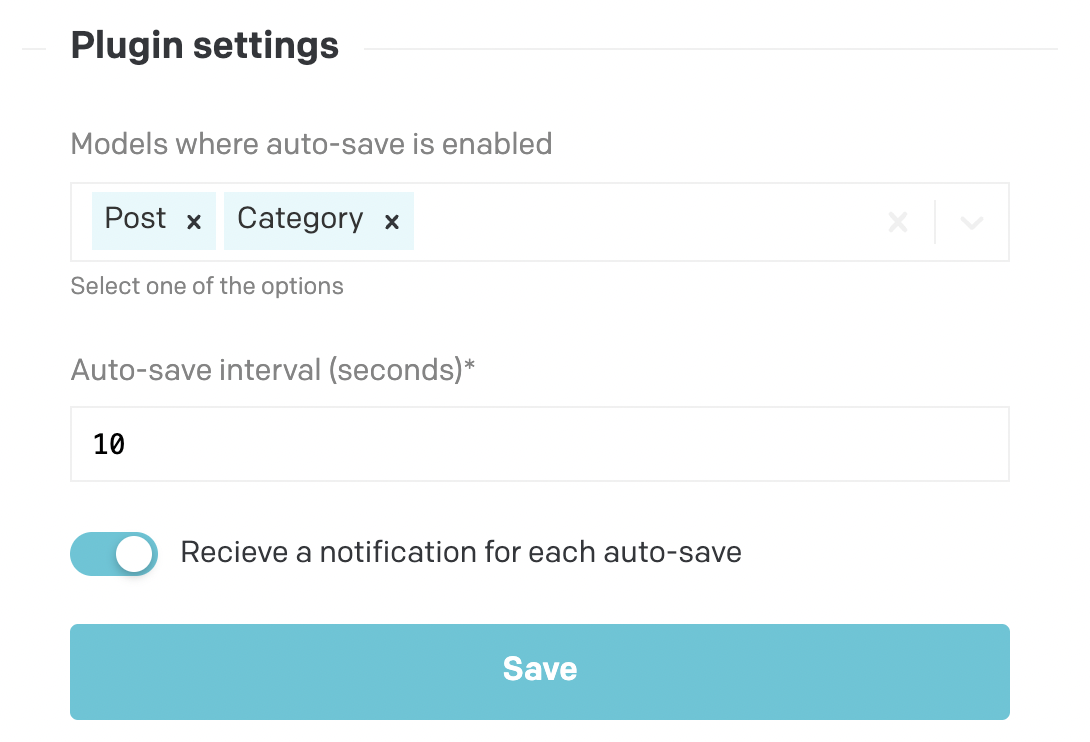
Features
- Enable auto-save only for the models you choose.
- Set the auto-save interval in seconds.
- Optionally show a notification after each auto-save.
- Optionally debounce auto-save so the timer starts after the editor stops changing the record.
Setup
- Install the plugin in your DatoCMS project.
- Open the plugin settings.
- Select the models where auto-save should run.
- Set the auto-save interval.
- Save the settings.
How it works
When a selected record has unsaved changes, the plugin waits for the configured interval and then saves the record.
If Only start timer after user stops modifying record (Debounce) is enabled, the timer restarts after each edit and only saves once editing pauses.
Notes
- Auto-save only runs on models selected in the plugin settings.
- The interval must be at least 1 second.
- New settings apply after saving the plugin configuration.