Shopify product DatoCMS Official Plugin
A plugin that allows users to search and select Shopify products
DatoCMS Shopify product plugin
A plugin that allows users to search and select Shopify products.
Configuration
Please specify your Shopify Shop ID and Storefront access token on the plugin global settings. The Shop ID is the prefix of your *.myshopify.com domain — for example, if your shop is foo-bar.myshopify.com, enter foo-bar.
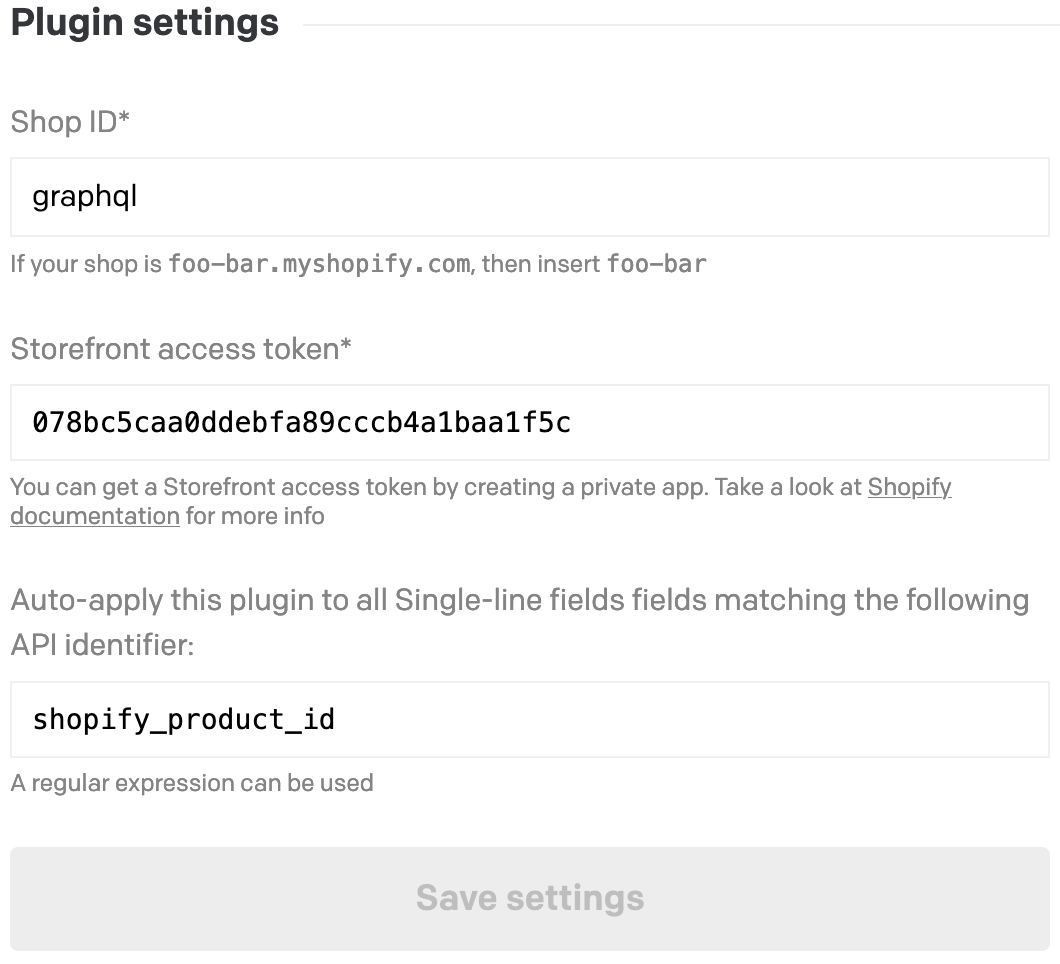
You can either hook this plugin manually to your Single-line and JSON fields, or have it auto-applied based on a regular expression matched against the field's API identifier (configured on the same settings screen).
If you hook this plugin to a single-line field it will save the product handle.
If you hook it to a JSON field, it will save a JSON containing all the product's info. Like this:
{ "id": "1234567890", "title": "My product", "handle": "my-product", "description": "Lorem ipsum dolor sit amet, consectetur adipiscing elit. Sed pharetra consequat diam. In metus risus, aliquam non massa tempus, gravida commodo orci.", "onlineStoreUrl": "https://graphql.myshopify.com/products/my-product", "productType": "T-Shirts", "priceRange": { "maxVariantPrice": { "amount": "40.0", "currencyCode": "CAD" }, "minVariantPrice": { "amount": "40.0", "currencyCode": "CAD" } }, "images": { "edges": [ { "node": { "src": "https://cdn.shopify.com/s/files/1/1312/0893/products/001_39681e15-ce94-48ca-830f-980b11868856.jpg?v=1491851133", "previewSrc": "https://cdn.shopify.com/s/files/1/1312/0893/products/001_39681e15-ce94-48ca-830f-980b11868856_200x200.jpg?v=1491851133" } } ] }, "imageUrl": "https://cdn.shopify.com/s/files/1/1312/0893/products/001_39681e15-ce94-48ca-830f-980b11868856.jpg?v=1491851133", "previewImageUrl": "https://cdn.shopify.com/s/files/1/1312/0893/products/001_39681e15-ce94-48ca-830f-980b11868856_200x200.jpg?v=1491851133"}Obtain a Shopify API key
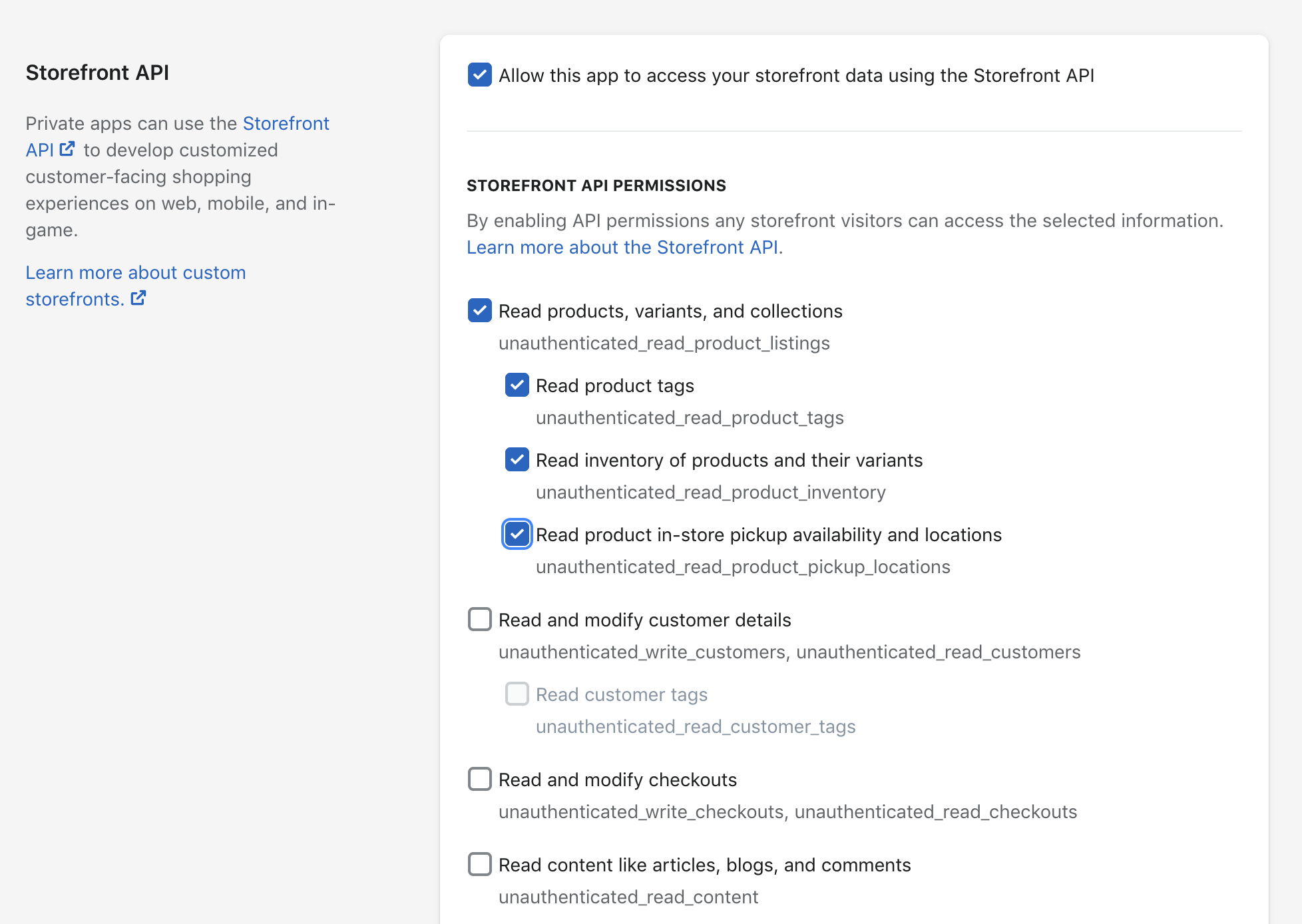
To request a Storefront API access token follow these instructions.
Remember to give products read permissions.
Changelog
1.0.16
- Fixed minor typo
1.0.10
- New selections save full-size
imageUrlpluspreviewImageUrlfor the 200x200 preview. Existing JSON field values are not rewritten; reselect products or update stored JSON to refresh old_200x200imageUrlvalues.