Datocms Plugin Working Schedule Days
A simple plugin to quick add open and close hours for each day or range days in the week
DatoCMS Working Schedule Days Plugin
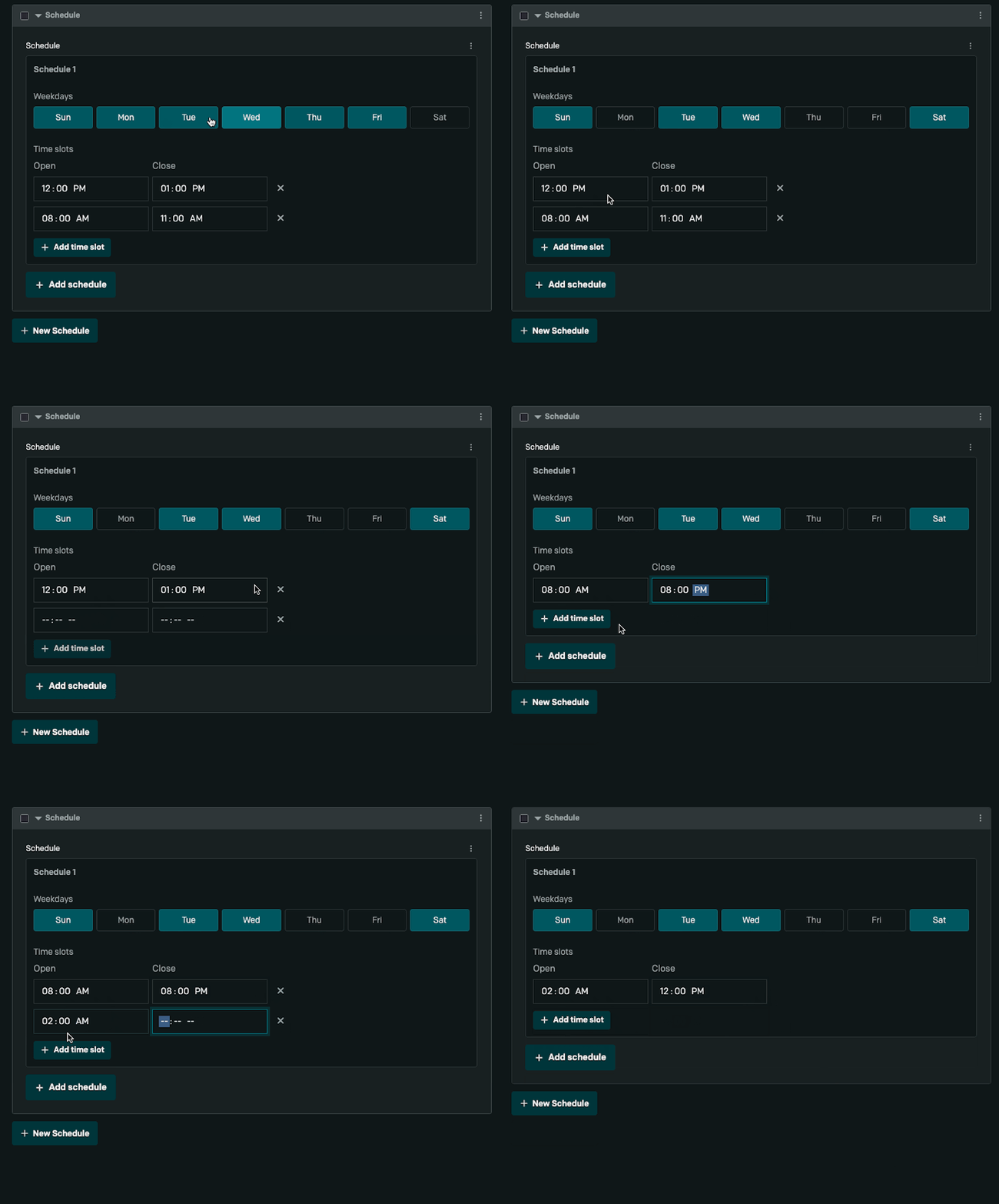
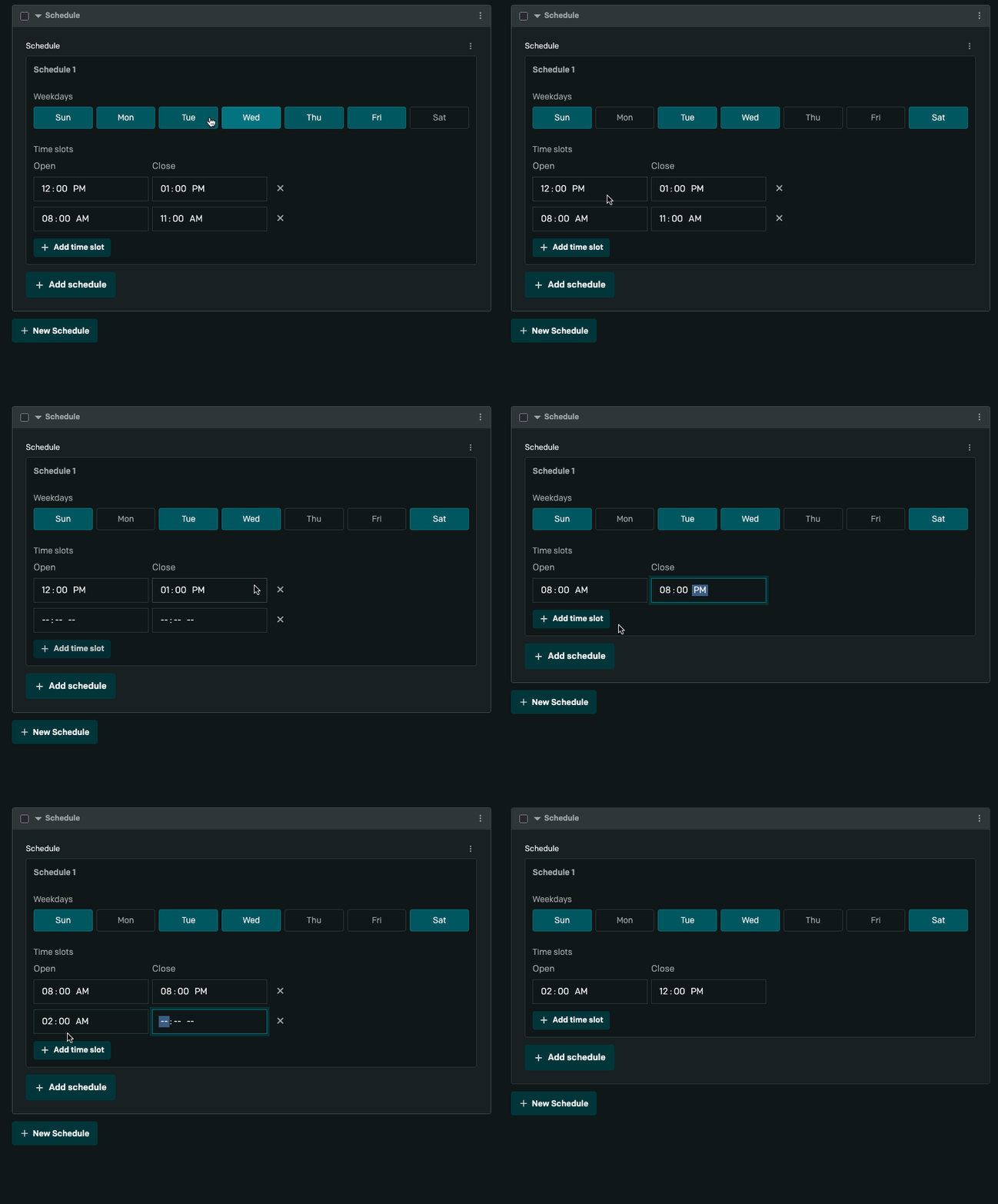
A DatoCMS json field editor plugin for managing business operating hours. Quickly define opening and closing times for specific weekdays with support for multiple time slots per day (e.g., morning and evening shifts).
Features
- ✅ Multi-weekday selection with interactive checkboxes
- ✅ Multiple time slots per day (morning/evening/night shifts)
- ✅ Works with nested fields - supports blocks and nested models
- ✅ Clean UI - built with DatoCMS React UI components
- ✅ Type-safe - full TypeScript support
Quick Start
Installation
-
Build the plugin:
Terminal window npm installnpm run build -
Register in DatoCMS:
- Go to your DatoCMS project → Settings → Plugins
- Add the plugin using the plugin URL (local development or deployed)
- The plugin will be available immediately
-
Create a JSON field:
- Go to your content model
- Add a new JSON field (or use existing JSON field)
- In the field editor settings, select "Working Schedule Days"
-
Start using it:
- Open a record with the field
- Select weekdays and set opening/closing times
- Changes auto-save to DatoCMS
Data Structure
The plugin stores data as a JSON array of schedule entries. Each entry contains selected weekdays and one or more time slot pairs.
Data Schema
interface ScheduleEntry { id: string; // Unique entry identifier weekdays: Weekday[]; // Array of selected days (0=Sunday, 6=Saturday) timeSlots: TimeSlot[]; // One or more open/close pairs}
interface Weekday { position: number; // 0-6 (0=Sunday, 6=Saturday) short: string; // "Sun", "Mon", "Tue", etc. long: string; // "Sunday", "Monday", "Tuesday", etc.}
interface TimeSlot { id: string; // Unique slot identifier open: string; // Opening time in HH:MM format close: string; // Closing time in HH:MM format}Use Cases
Retail Store Hours
[ { "id": "entry-001", "weekdays": [ { "position": 1, "short": "Mon", "long": "Monday" }, { "position": 2, "short": "Tue", "long": "Tuesday" }, { "position": 3, "short": "Wed", "long": "Wednesday" }, { "position": 4, "short": "Thu", "long": "Thursday" }, { "position": 5, "short": "Fri", "long": "Friday" } ], "timeSlots": [ { "id": "slot-001", "open": "09:00", "close": "18:00" } ] }, { "id": "entry-002", "weekdays": [ { "position": 6, "short": "Sat", "long": "Saturday" } ], "timeSlots": [ { "id": "slot-002", "open": "10:00", "close": "16:00" } ] }]Restaurant with Multiple Services
[ { "id": "entry-lunch", "weekdays": [ { "position": 2, "short": "Tue", "long": "Tuesday" }, { "position": 3, "short": "Wed", "long": "Wednesday" }, { "position": 4, "short": "Thu", "long": "Thursday" } ], "timeSlots": [ { "id": "lunch-slot", "open": "11:30", "close": "14:00" }, { "id": "dinner-slot", "open": "18:00", "close": "22:30" } ] }]Plugin Details
| Property | Value |
|---|---|
| Plugin ID | workingScheduleDays |
| Field Types | JSON (only) |
| Extension Type | Field editor |
| Configurable | No |
| Permissions | None required |
Development
Commands
# Start development servernpm run dev
# Build for productionnpm run build
# Preview production buildnpm run previewProject Structure
src/├── main.tsx # Plugin initialization & SDK connection├── entrypoints/│ ├── WorkingSchedule.tsx # Main field editor component│ └── ConfigScreen.tsx # Configuration screen (minimal)├── lib/│ ├── constants.ts # WEEKDAYS constant│ ├── helper.ts # ID generation utilities│ ├── saveFieldValue.ts # Data persistence│ └── formValuesHelper.ts # Nested field value access├── components/│ ├── CloseIcon.tsx # Close button icon│ ├── PlusIcon.tsx # Add button icon│ └── MinusIcon.tsx # Remove button icon└── utils/ └── render.tsx # React DOM renderingKey Technologies
- React 18 - UI framework
- TypeScript - Type safety
- Vite - Build tool
- DatoCMS Plugin SDK - Plugin communication
- DatoCMS React UI - UI components
- CSS Modules - Scoped styling
Customization
Styling
The plugin uses CSS Modules with custom properties for theming:
:root { --primary: #49abf5; /* Selected day background */ --accent-color: #6c5ce7; /* Button colors */ --remove-color: #ff6b6b; /* Remove button color */ --schedule-white: #f5f5f5; /* Light backgrounds */}Edit src/entrypoints/WorkingSchedule.module.css to customize colors and layout.
Adding New Fields
To add additional fields to the schedule (e.g., staff notes, location):
- Update the
ScheduleEntryinterface insrc/entrypoints/WorkingSchedule.tsx - Add UI controls in
ScheduleEntryComponent - Include in the
saveFieldValue()call - Update CSS as needed
Contributing
Found a bug or have a feature request?
- Look at the issue tracker
- Create a detailed bug report with:
- Plugin version
- Steps to reproduce
- Expected vs actual behavior
Special Thanks
This plugin is inspired by and built upon the work of the Elevation Church - DatoCMS Plugin Schedule Listings project.
Reference Plugin: datocms-plugin-schedule-listings
License
MIT License - feel free to use this plugin in your DatoCMS projects