CLI: Easier (and safer) project linking with OAuth
Setting up the DatoCMS CLI used to involve a clunky ritual of creating an API token in project settings, copying it, pasting it into an environment variable, and hoping you got it right. Repeat for every project. And since teams shared the same token, there was no way to tell who actually performed a given action in audit logs.
OAuth login is now the recommended way to authenticate. The new setup is fully guided: datocms login opens your browser, datocms link lets you search and select a project interactively with no tokens to copy, and no environment variables to configure. Every API call is tied to your personal identity, giving teams clear visibility over who made which changes.
During the authorization step, you can choose to grant the CLI access to all your projects or limit it to only the ones you select, so you stay in control of exactly which projects are exposed.
New commands
datocms loginauthenticates your DatoCMS account via OAuth. It opens your browser for a secure login flow. If the browser can't be opened, it falls back to a manual URL flow.datocms linkconnects the current directory to a specific DatoCMS project. The interactive flow walks you through choosing a workspace, searching for a project, and configuring migration settings. Once linked, every CLI command in that directory automatically resolves an API token using your OAuth credentials. No environment variables needed.datocms logoutto remove credentials.datocms whoamito check which account you're logged in as.datocms unlinkto disconnect a directory from a project.
What changes for existing users
Nothing breaks. The old profile:set and profile:remove commands still work, they just redirect to link and unlink under the hood. Existing scripts and CI/CD pipelines using DATOCMS_API_TOKEN or the --api-token flag are completely unaffected.
When a command needs an API token, the CLI now resolves it in this order: --api-token flag first, then environment variable, then linked project via OAuth. So your current setup always takes precedence.
Getting started
You can upgrade the CLI to the latest version with:
npm install -g @datocms/cli@latestFor teams that want user-level audit trails, the migration is straightforward: each team member runs datocms login once, then datocms link in each project directory. From that point on, all commands use personal credentials automatically.
You can still use DATOCMS_API_TOKEN in CI/CD or anywhere OAuth login isn't practical. If you prefer a custom environment variable name, you can configure it during datocms link.
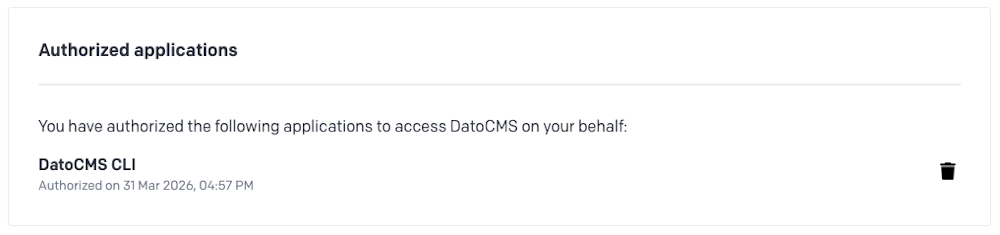
OAuth authorizations can be reviewed and revoked at any time from your account settings, under "Authorized applications":
Explore the docs to get up to speed on Configuring the CLI.