Automatic antivirus scanning for all Media Area uploads
Every file uploaded to the DatoCMS Media Area is now automatically scanned for viruses and malware. No configuration, no opt-in or workflow changes required from your side.
How it works
The moment a file is uploaded, a background scan is queued automatically. Editors can continue working since there's no blocking step or wait time. Within seconds, each file is assigned one of four statuses:
Clean: no threats detected and file is served normally
Infected: a threat was detected and the file is automatically quarantined
Skipped: the file exceeds the scanner's size or type limits and could not be assessed. Treat these files with appropriate caution
Failed: an error occurred during scanning, and will be retried automatically up to 6 times with exponential backoff. If it still cannot be scanned, then the file remains in a failed state
ℹ️ If an asset is replaced with a new version, the antivirus scan runs again automatically on the new file.
Quarantined files
When a threat is detected, infected files are automatically quarantined and DatoCMS will:
Remove the file from public storage
Purge it from the CDN cache, and
Keep the upload record visible in the Media Area so editors can see it was flagged, but the file URL will no longer serve any content
Editors should replace the asset to restore functionality.
For projects using a custom storage bucket, DatoCMS does not have permission to delete or move files from your storage. In this case, the file will still be accessible from your own bucket even after being flagged, and the upload record will be marked as infected, and editors will see the file path so they can remove it manually. The warning UI in the Media Area will reflect this.
Dashboard Changes
Infected files are surfaced throughout the Media Area:
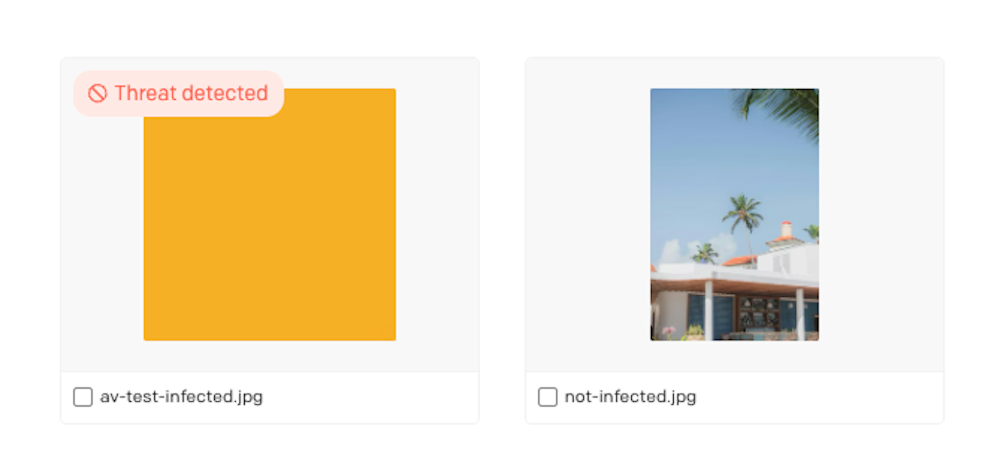
A "Threat detected" badge appears on the upload card in grid, masonry, and table views. On smaller cards, this collapses to an icon with a tooltip
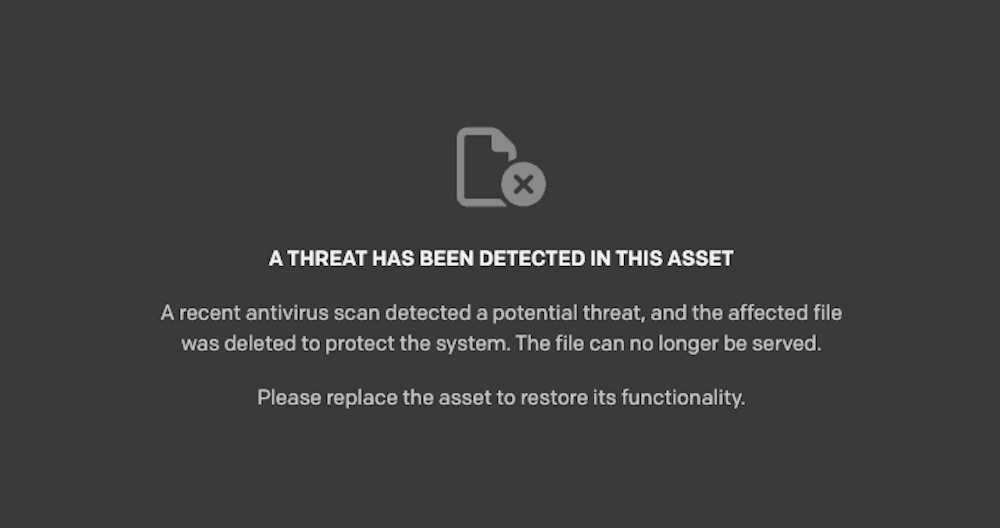
Opening an infected file replaces the normal preview with a warning screen that explains the situation, shows the specific threat name (useful for investigation), and prompts the editor to replace the asset
For custom storage projects, the warning is adjusted to show the file path and advise manual removal from the bucket
Editors can filter uploads by antivirus status (clean, infected, skipped, failed, pending) directly in the Media Area search. This filter is not available in the Content Delivery API.
Scan results are delivered in real time with the antivirus status in the dashboard updating live without requiring a page refresh, and Webhooks are fired on status changes, so you can build integrations that react to scan results, for example, getting a Slack alert when an infected file is detected in your project.
API Access
The antivirus status is also available on every upload object via the CMA, under a new meta.antivirus field:
"meta": { "antivirus": { "status": "infected", "scanned_at": "2026-03-27T18:51:00Z", "threat_name": "Trojan.GenericKD.12345" }}The object includes the scan status, the timestamp of the last scan, and the threat name when applicable. It's worth knowing that antivirus scan results are preserved when forking environments, with no rescanning needed, and when duplicating a project, infected files are automatically excluded from the copy to prevent propagation.
Refer to the docs for more information on how this works.